
Sell a membership and welcome buyers into your community.
Turn ongoing access into a clear creator-store offer. Use recurring billing for a membership or sell entry to a private Telegram community, then give each buyer the right next step after checkout.
14-day free trial. No credit card required to start.
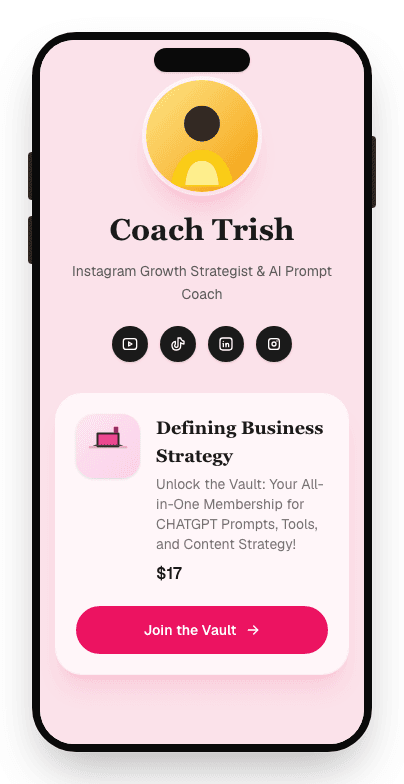
Start with the relationship you want to sell
“Membership” and “community” often overlap, but the payment and delivery workflows are different. Choose the model that matches the promise you make to buyers.
A short path from your storefront to the member destination
Storelane keeps the public offer, payment, order, and welcome step connected while your private destination remains focused on the member experience.
- 01
Define the member outcome
Explain who the space is for, the result members are working toward, and why staying involved is valuable.
- 02
Choose the access model
Use a recurring membership for ongoing access or a community offer for a one-time Telegram handoff.
- 03
Publish the offer
Add the price, benefits, access details, and call to action to your Storelane creator storefront.
- 04
Welcome each buyer
Stripe confirms payment, Storelane records the order, and the configured access email completes the handoff.
Sell access without pretending checkout is the community
Storelane is the storefront and payment layer around your member experience. It does not replace a purpose-built discussion platform. That boundary keeps the buying path simple while you choose where the member relationship lives.
Example creator brief
I help freelance designers price their work. Plan a focused storefront for a $29 monthly membership with weekly pricing feedback, a private resource library, and one group office hour each month.
Storelane handles
- Public membership or community offer
- Stripe checkout and order records
- Recurring membership billing
- Welcome and access email
- Connected Telegram invite delivery
Your destination handles
- Posts, conversations, and moderation
- Member profiles and direct messages
- Content organization and search
- Community rules and participation
- The ongoing member experience
Build a member offer people can understand and use
A paid space needs more than a locked link. Buyers need to know the outcome, the cadence, the access rules, and what happens after payment.
Promise a specific reason to join
“A private group for designers” is broad. “Weekly pricing feedback for freelance brand designers” tells the right person why the space exists.
Describe the recurring value
For a subscription, name the cadence: monthly calls, weekly prompts, new resources, office hours, or another benefit members can expect.
Prepare the destination first
Create the member area or connect the Telegram group before publishing. Review the welcome post, permissions, and access path as a buyer would.
Set participation expectations
Explain whether members can post, when you respond, what behavior is allowed, and where important resources live.
Make billing terms visible
Show the price and interval clearly. Tell subscribers what renews, what access includes, and how cancellation affects access.
Test the full welcome flow
Complete a test purchase, open the email on mobile, follow the access link, and verify that the destination is private and ready.
Check the systems behind your membership
Recurring billing and private access create responsibilities beyond the sales page. Use primary documentation when planning payment states, invites, and renewal terms.
Member space and community FAQ
What is a member space?
A member space is a private destination where approved members receive ongoing content, resources, support, or community access. With Storelane, you sell the membership from your creator storefront and send paid members to the private destination you provide.
Does Storelane host a built-in community forum?
No. Storelane handles the commerce layer: the public offer page, checkout, order record, and access handoff. It does not currently host discussion feeds, member profiles, channels, direct messages, moderation, or a native community app.
What is the difference between a membership and a community offer?
A Storelane membership uses recurring monthly or yearly billing and can send buyers to a creator-provided members-area URL. A community offer is a one-time or free checkout that sends a buyer a private Telegram invite after the order is confirmed.
Can I charge monthly or yearly for membership access?
Yes. A membership product can use a monthly or yearly recurring price. The offer page shows the billing interval and the perks included with access.
How do members receive access?
For a recurring membership, Storelane sends a welcome email with your configured members-area link. For a connected Telegram community, Storelane generates a single-use invite after checkout and sends it to the buyer by email.
Can I sell access to WhatsApp or Discord?
Not through the currently published automated community workflow. Telegram is the active connected community destination; WhatsApp and Discord are marked as coming soon in the creator dashboard. You should verify the authenticated interface before promising a specific provider.
Can I sell products and coaching beside my membership?
Yes. A Storelane storefront can place memberships and community access beside digital downloads, course offers, coaching sessions, workshops, free links, and lead forms.
Do buyers need a Storelane account?
No. Buyers can view the public offer, complete checkout, and receive the configured access instructions without creating a Storelane creator account.
Related Storelane guides
Build the rest of your creator offer
Give your audience a reason to join and a simple way in
Describe the members you serve, the value they receive, and your first price. Storelane will generate a storefront you can edit and review before publishing.
Start your 14-day trialNo credit card required to start.